Figma to Divi WordPress Development Services
How We Convert Figma to Divi in 4 Simple Steps
Our proven process transforms your Figma design into a fully responsive WordPress website using the Divi Builder. Every project is developed on a private staging site, allowing you to review each stage, request revisions, and approve the final website before launch.
Share your Figma design, website content, brand assets, and project requirements. We review every page, confirm the project scope, and plan the best Divi Builder structure before development begins.
We convert your Figma design into a pixel perfect Divi WordPress website using global presets, reusable layouts, responsive sections, and a private staging environment for review.
Review every page on the private staging site and compare it with your Figma design. We complete two rounds of revisions to refine spacing, styling, responsiveness, and every visual detail before approval.
After final approval, we launch your Divi WordPress website, complete quality assurance, optimise performance, submit your sitemap to Google Search Console, and provide Divi CMS training for your team..
Figma to Divi Pricing Plans
Choose the right Figma to Divi package for your project. Every plan includes pixel perfect WordPress development, responsive layouts, reusable global presets, SEO ready pages, performance optimisation, clean code, and a fully editable Divi website.
- ✓Full Divi theme and Builder licence
- ✓Design variables set from your Figma styles
- ✓Responsive build at every Divi breakpoint
- ✓On-page SEO and Schema markup
- ✓GA4 and GTM integration
- ✓Divi Contact Form module with SMTP
- ✓Security hardening and SSL
- ✓Everything in Starter
- ✓Divi Theme Builder header, footer, and conditional templates
- ✓Reusable sections saved to the Divi Library
- ✓Custom 404 and blog post template
- ✓FAQPage and BreadcrumbList schema
- ✓Google Search Console submission
- ✓Everything in Standard
- ✓Native Divi WooCommerce module setup
- ✓Custom product and shop archive template
- ✓Cart and checkout styled to match Figma
- ✓Payment gateway integration
- ✓Product Schema for Google Shopping
- ✓Divi Leads split testing on product pages
Need more than 15 pages, custom post types, or a membership portal? Request a free custom quote →
Everything Included with Your Figma to Divi Website
Our Figma to Divi service includes everything needed to launch a fast, responsive, and fully editable WordPress website. From reusable global presets and pixel perfect development to SEO optimisation, performance tuning, and security, every feature is included to help your website perform from day one.

We convert your Figma colours, typography, and design styles into reusable Divi Global Presets, making it easy to update your branding across the entire website from one place.

Every page is recreated with pixel perfect accuracy using the Divi Visual Builder. We carefully match layouts, spacing, typography, colours, and responsive behaviour to your original Figma design.

Headers, footers, blog posts, archive pages, and custom templates are built with the Divi Theme Builder, creating a consistent and easy to manage WordPress website.

Your Divi website is fully responsive across desktop, tablet, and mobile devices. Every page is tested to ensure a smooth and consistent experience on every screen.

Every website includes SEO friendly page structure, Schema markup, XML sitemap setup, metadata, and integration with Rank Math or Yoast to help improve search engine visibility.

We configure Google Analytics 4 and Google Tag Manager so you can measure traffic, conversions, and marketing performance from the moment your website goes live.

We build responsive Divi contact forms with validation, conditional fields where required, and SMTP configuration to improve email delivery and reduce spam.

Every website includes SSL verification, WordPress security best practices, login protection, and basic hardening to keep your website secure from launch.

We optimise your Divi website with static CSS generation, image optimisation, caching, and Core Web Vitals improvements for faster loading and a better user experience.
Figma Design System in Divi
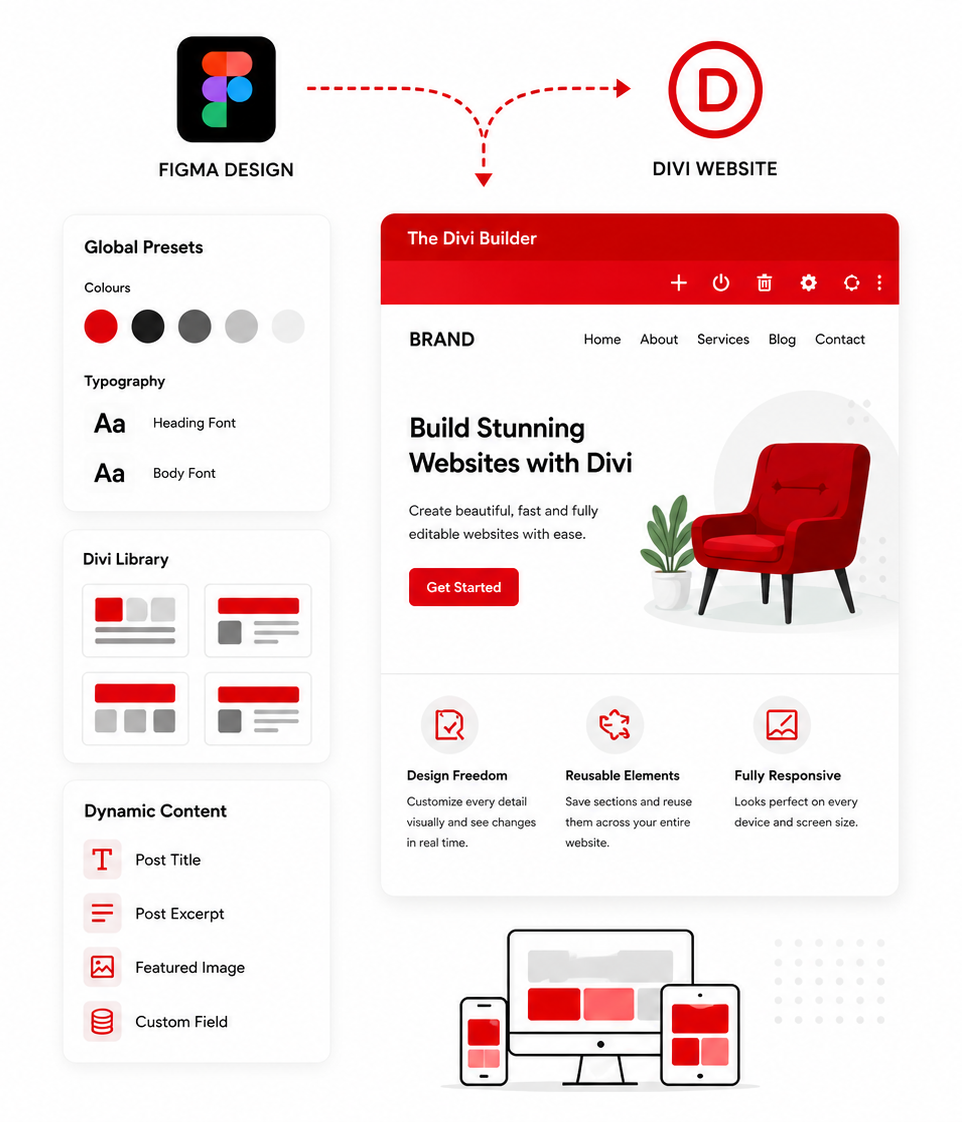
A successful Figma to Divi conversion goes beyond matching the visual design. We transform your Figma styles into reusable Divi presets, layouts, and templates, creating a fully editable WordPress website that is easy to manage, maintain, and scale.
Global design settings keep every page consistent. Update colours, typography, or reusable sections once, and the changes are applied across your website, making future updates faster and more efficient.
- ✓Figma colours and typography converted into Divi Global Presets
- ✓Reusable Figma sections rebuilt with the Divi Library
- ✓Live visual editing with the Divi Visual Builder
- ✓Hover states, entrance animations, and scroll effects matched using Divi's built in transitions
- ✓Dynamic Content fields used so layouts pull from real data instead of hard coded text
- ✓Layouts checked at desktop, tablet, phone, and any custom breakpoint your Figma file defines
Figma to Divi vs Other Platforms
Choosing the right page builder is an important part of your Figma to WordPress project. Compare Divi with other popular platforms to see how it performs for visual editing, reusable design systems, website performance, scalability, and long term content management.
| Feature | Figma to Divi | Figma to Elementor | Figma to Webflow | Figma to WordPress (custom theme) |
|---|---|---|---|---|
| Editing experience | True front end editing, what you see is the live page | Visual builder editing a rendered preview | Webflow Editor, easy | Gutenberg block editor, moderate |
| Licensing model | One time Elegant Themes membership, lifetime option available | Annual Elementor Pro renewal required | Recurring monthly hosting plan required | No platform licence, plugin costs only |
| WooCommerce eCommerce support | Native WooCommerce modules built into Divi | Elementor WooCommerce Builder included | Basic Webflow eCommerce only | Full WooCommerce via custom templates |
| Module and widget ecosystem | 46 plus built in modules, no add ons required | 100 plus Pro widgets | Native elements only | Depends on plugins installed |
| Theme Builder for headers and footers | Divi Theme Builder with conditional template logic | Full Elementor Theme Builder | Webflow global header and footer | Custom PHP header and footer templates |
| Built in A/B testing | Divi Leads split testing built into the builder | Requires a third party plugin | Requires a third party integration | Requires a third party plugin |
| Monthly platform cost | Hosting only, no recurring platform fee | Hosting only, no platform fee | From $23 per month for CMS plan | Hosting only, no platform fee |
Who Chooses Our Figma to Divi Service
We help freelance designers, creative agencies, marketing teams, eCommerce businesses, and growing companies convert Figma designs into fully editable Divi WordPress websites. Every project is built for flexibility, responsive performance, and simple website management without sacrificing design accuracy.

Freelance Designers
Designers who hand finished client sites over directly and want a build their client can keep paying a single lifetime licence for, rather than renewing a yearly subscription just to keep editing the pages they already paid to design.

Design Agencies
Agencies running several client sites at once who want a development partner familiar with the Divi Theme Builder and Divi Library, so updates to a shared component can roll out across multiple client builds quickly and consistently.

Startups and SaaS Companies
Early stage teams that need built in split testing for landing pages and pricing sections without adding another paid tool, since Divi's A/B testing feature is part of the builder rather than a separate subscription.

eCommerce Brands
Stores that want product, shop, cart, and checkout pages built with Divi's native WooCommerce modules, where layout and styling are controlled the same way as the rest of the site instead of through a separate plugin's templating system.

Marketing Teams
In house teams that need to launch and adjust campaign pages frequently, and want a builder where edits happen directly on the live page so a marketer can change copy or swap an image without waiting on a developer.

International Clients
Businesses anywhere in the world that want a fixed, transparent project price and a build on a platform with no regional pricing tiers or currency surcharges, backed by a team that has delivered Divi sites worldwide.
Figma to Divi FAQs
Find answers to common questions about our Figma to Divi service, including Divi licensing, responsive WordPress development, WooCommerce integration, project timelines, and everything you need to start your project.
What is Figma to Divi conversion?
Global Presets and reusable layouts keep your website consistent across every page. Update a colour, font, or design element once, and the changes are automatically applied throughout your Divi website, making future updates faster and easier.
Do I need to buy a Divi licence, and what does it cost long term?
How is editing in Divi different from other WordPress page builders?
Divi also includes Global Presets and the Divi Library, allowing you to reuse styles, layouts, and sections across your website. Update a global colour, font, or reusable section once, and the changes are automatically applied wherever they are used, making website management faster and more consistent.
How much does Figma to Divi conversion cost?
How long does a Figma to Divi project take?
Does my Figma file need to be finished before you start building?
Will my Divi website work properly on mobile and tablet devices?
Can Divi build a WooCommerce store from my Figma design?
Can my team edit the Divi website after launch without a developer?
Explore Our Other Conversion Services
Convert Figma, Framer, Adobe XD, PSD, and Sketch designs into professional WordPress, Elementor, Divi, Webflow, Shopify, and responsive HTML websites. Every project is built with pixel perfect accuracy, responsive layouts, clean code, and SEO ready development.

Your Figma design converted to a full WordPress website with Elementor Pro or Divi, global design kit, SEO, and CMS training.
Get a Free Quote Learn more →
Pixel perfect Figma to Elementor Pro conversion with global design kit, Theme Builder, and full mobile responsive build.
Get a Free Quote Learn more →
Clean, semantic HTML and CSS conversion from your Figma design. Responsive, fast loading, and ready to host on any server or CDN.
Get a Free Quote Learn more →
Convert your Framer prototype or published site into a fully editable WordPress website with Elementor Pro or Divi.
Get a Free Quote Learn more →
Export your Framer design as clean, hand-coded HTML and CSS with no Framer platform dependency and no monthly platform fees.
Get a Free Quote Learn more →
Full WooCommerce store builds from your Figma design or from scratch using Divi's WooCommerce modules with full SEO setup.
Get a Free Quote Learn more →
Custom WordPress builds without an existing Figma file. From brief to live site with Divi, Elementor Pro, or a custom theme.
Get a Free Quote Learn more →Full Divi website builds from scratch without a Figma file. Bespoke layouts, global presets, Theme Builder, and SEO setup.
Get a Free Quote Learn more →